EN SV
Start free trial

For your store

Which aisles work hardest? And which sit empty?

Reveal measures passages per aisle and section from your Avigilon Alta cameras. Use the data for smarter merchandising, better layout, and decisions about where promotional material belongs.

30-day free trial · no new hardware · cancel anytime
reveal.raptix.se/sites/demo-store-1
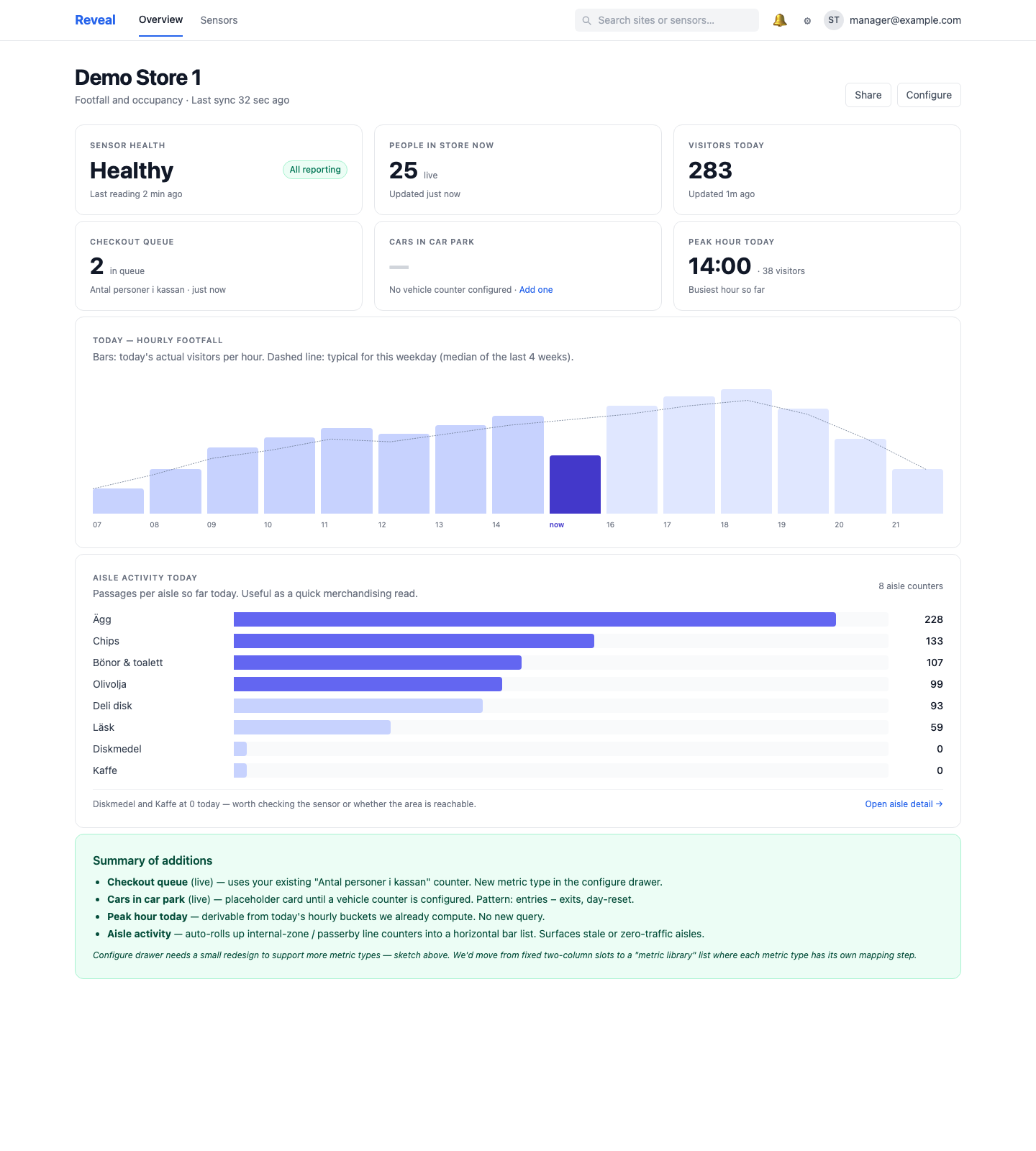
Reveal aisle activity — stacked passages for Eggs, Chips, Beans, Coffee, Olive Oil, Counter

Aisle activity panel — passages per aisle today, sorted high to low.

You see customers walk in. Then they disappear.

Two thousand customers come in on a Friday. Where do they go? Which aisles are popular? Which shelves does everyone miss? Mostly gut feel.

Merchandisers make layout decisions on POS data — but POS only says what was bought, not what was seen. A shelf with zero sales could have a thousand visits (wrong product) or zero visits (wrong placement).

Reveal measures the missing half — aisle traffic — so you actually know why something sells or doesn't.

Three steps

From cameras over the aisles to actionable data

1

Enable passage counting per aisle in Alta

Place a line-crossing or occupancy zone in Alta at each key aisle or section. Reveal discovers those counters automatically.

2

Name the aisles

Map each counter to its section — Eggs, Chips, Coffee, etc. The reports become readable instead of "counter-3847".

3

See the ranking

Reveal shows today's, this week's and this month's passages per aisle — stacked and sorted. You see immediately which dominate and which live in the shadow.

Features

Everything you need to understand your aisles

Passages per aisle, today and historic

Bar chart of today's passages per aisle — sorted high to low. Click into an aisle for a 7-, 28- or 90-day view.

Section ranking

Which 5 sections have the highest foot traffic? Which 5 the lowest? Reveal shows top and bottom — useful for spotting layout problems in minutes.

Before/after campaigns

Moved the promo display from the entrance to Shelf 12? See instantly whether Shelf 12 visits went up — and by how much.

  • · Compare any period against a baseline
  • · By day, week or month
  • · Export as CSV for deeper analysis

Stale-counter alerts

If a section's counter stops reporting, Reveal alerts you. You don't have to discover it in the next report — you know the same day.

FAQ

Common questions

Do I need one camera per aisle? +

Not necessarily — one camera can cover several aisles if the angle is right. For maximum accuracy, Avigilon recommends one line-crossing zone per aisle you want to measure.

Does Reveal also measure time spent in an aisle? +

Right now Reveal measures passages (passes / does not pass). Dwell time is on the roadmap — let us know if you want early access.

Does it work with occupancy zones too? +

Yes. If you have Alta occupancy zones enabled per section, Reveal can read them as a supplement to line-crossings.

How do I separate staff from customers? +

It can't be done automatically — Alta counters don't distinguish. Practical solution: measure during trading hours (where customer share is high) and compare against closed hours to get an approximate staff baseline.

How often does the data refresh? +

Reveal polls every 60 seconds. The bar chart updates during the day as passages count. Historic summaries are computed overnight.

Can I break down by male/female or age? +

No — Reveal doesn't receive that data from Alta (for privacy reasons). The counts are anonymous.

Explore more

What are your aisles doing right now?

Enable passage counting, set the names, see the ranking — in one afternoon.

Start free trial