The report archive
Scheduled, delivered, always searchable
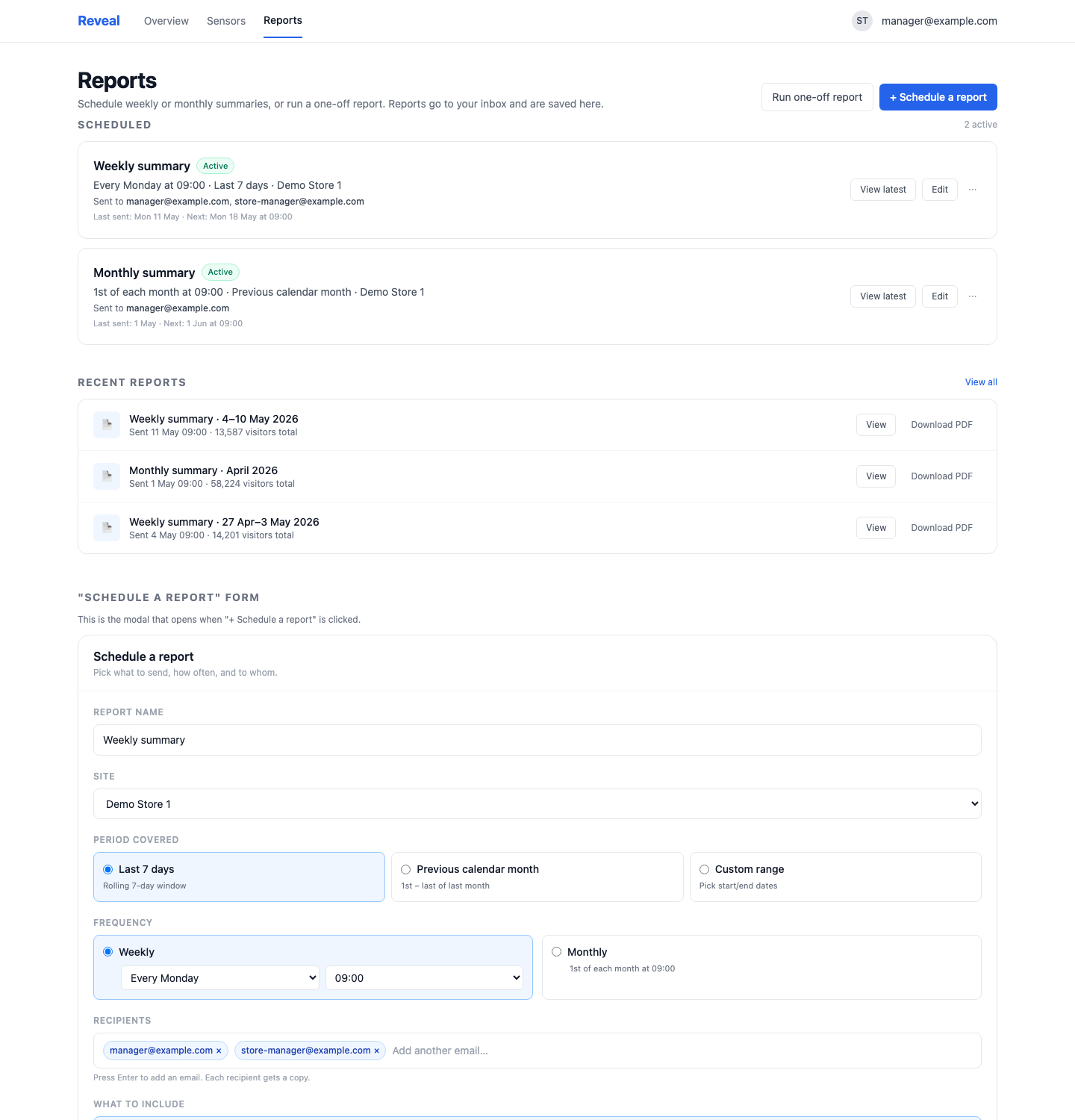
Weekly and monthly reports go out on schedule. Every generated report is archived in the app so you can come back anytime — no old PDFs lost in someone's inbox.
For your store
Reveal emails visitor stats, occupancy, HACCP temperatures and every sensor to the right person on the right day. No manual summaries, no paper folder, no panic on Friday afternoon.
30-day free trial · no new hardware · cancel anytime
HACCP Report · Week 18
Demo Store 1 · Generated 2026-05-05 · Period: 28 Apr – 4 May
| Sensor | Range | Status |
|---|---|---|
| Fridge — meat | 2–6°C | In range |
| Fridge — dairy | 2–6°C | In range |
| Freezer — ice cream | < -18°C | In range |
| Fridge — eggs | 2–6°C | 1 breach (resolved) |
| Ambient — counter | 18–22°C | In range |
Summary
0 open breaches · 1 resolved this week · 99.8% time in range
Emailed automatically every Monday 09:00 to store manager + QA lead
Manual weekly reports eat an hour of every store manager's week. Visitor numbers need totaling. Occupancy compared with last month. The HACCP folder updated. Multiply by fourteen sites — that's two working days a month gone to Excel.
And the report is still just a snapshot. Next week the same job starts over.
All of it is solved by the same thing: reports that write themselves — for every counter, every sensor — and land in the right inbox without anyone needing to remember.
Three steps
Visitor report, occupancy, queue, HACCP temperatures, environmental sensors, or a custom summary. Per site or across the whole chain.
One recipient or several. Every Monday morning, the first week of the month, or on a date you choose.
Everything is also archived in the app so you can download past reports anytime. Nothing forgotten, nothing lost.
Report types
Counter data summarised by day, week or month. The simplest way to answer "how are we doing?" without logging in.
How full is the store across the day and week? Reveal summarises occupancy against your capacity and shows where and when you peak.
Ready for food-safety inspection — every fridge and freezer, every breach, every action. A PDF you download or forward on.
Everything outside HACCP — ambient temperature, humidity, custom sensors. Useful for facility management and workplace-environment follow-up.
Auditor wants Q1? Head office wants 90 days back? Pick sections, period and sites — export anything, anytime.
Every generated report is saved so you can come back for it. No report buried in someone's old inbox.
The report archive
Weekly and monthly reports go out on schedule. Every generated report is archived in the app so you can come back anytime — no old PDFs lost in someone's inbox.
FAQ
PDF for sharing and inspection, plus a structured view in the app for deeper analysis. You can also export the underlying data as CSV when needed.
Yes. Every report can have several recipients — store manager, district manager, quality lead. You can also set up separate reports for different teams.
A timestamped temperature log per fridge, freezer and ambient sensor, with every breach above critical limits. Each breach shows start, peak, duration and who acted. Designed to be handed directly to a food-safety inspector.
Your full history, as far back as your Avigilon Alta account goes. When you connect Reveal, we import historic counter data so you have trends from day one.
No. Unlimited reports are included in the Starter plan. Scheduled, ad-hoc, any number — same price.
Yes, for custom reports. You pick the sections, the period and the sites. The standard reports have a fixed layout that fits 90% of users.
Yes. Counters (visitors, queue, occupancy), environmental sensors (temperature, humidity) and custom sensors can each be reported separately or rolled into a combined report. You choose per report what to include.
Absolutely. Any venue with a capacity cap — shopping centres, museums, gyms, restaurants — uses the same numbers for safety, planning and staffing.
Two minutes to set up, and the report lands in the inbox every week. No more Excel weekends.
Start free trial